
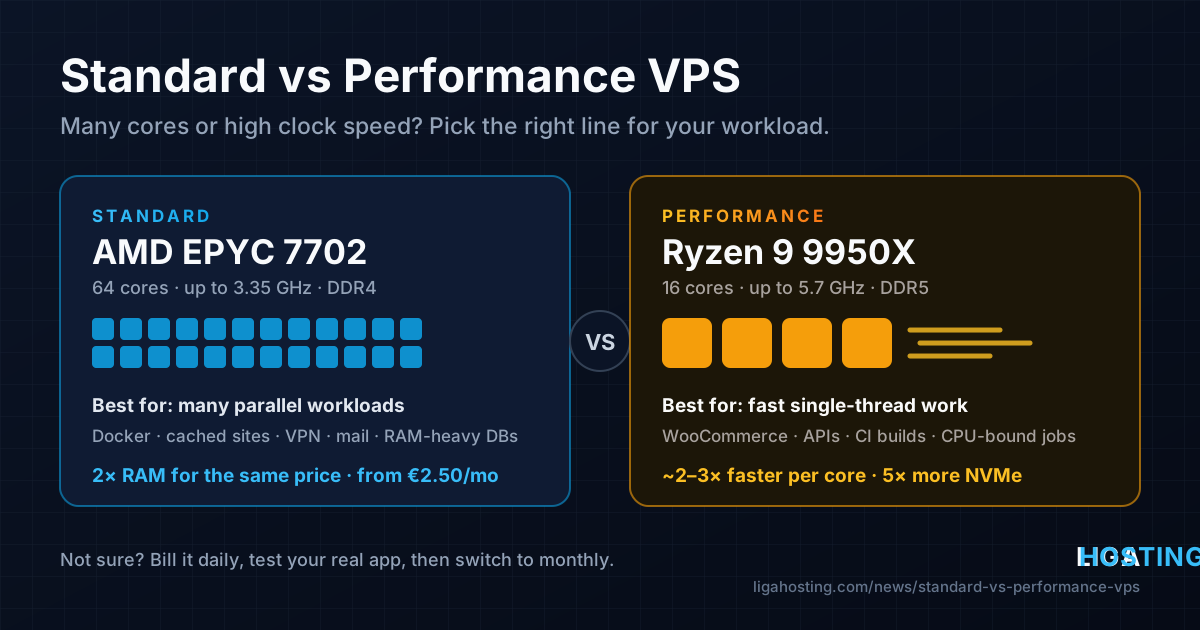
Standard vs Performance VPS — EPYC 7702 or Ryzen 9 9950X, Which One Do You Need?
When you order a VPS from us you choose between two lines: Standard and Performance. Both are KVM virtual servers with NVMe storage, root access and DDoS protection. The difference is the processor underneath — and that difference matters more for some workloads than for others.
This guide explains what actually changes between the two, which workloads benefit from each, and how to find out for your own application before you commit to a month.
The short answer
- Choose Standard if you want the most RAM and vCPUs for the money: many small sites, Docker containers, staging environments, VPNs, mail servers, databases that mostly need memory.
- Choose Performance if each request should finish as fast as possible: WooCommerce or other dynamic shops, APIs where response time matters, compiling and CI builds, anything where one slow thread is the bottleneck. It also includes much more NVMe storage.
- Not sure? Both lines can be billed daily. Run your real application on one for a day or two, measure, then switch to monthly billing.
What is inside each line
A vCPU is a share of a real processor core. How fast that vCPU is depends entirely on the physical CPU in the host:
| Standard | Performance | |
|---|---|---|
| Processor (Frankfurt) | AMD EPYC 7702 | AMD Ryzen 9 9950X |
| Architecture | Zen 2 (server) | Zen 5 (desktop, high frequency) |
| Cores / threads per CPU | 64 / 128 | 16 / 32 |
| Clock speed | 2.0 GHz base, up to 3.35 GHz | 4.3 GHz base, up to 5.7 GHz |
| Memory | DDR4, 8 channels | DDR5 |
| Storage | NVMe | NVMe, much larger allocations |
| Built for | Many parallel workloads | Fast single-thread work |
The EPYC 7702 is a data-center processor designed to run a lot of things at once. Its strength is the number of cores, not the speed of each one. The Ryzen 9 9950X has four times fewer cores, but each of them runs at well over 5 GHz and belongs to a much newer architecture. In typical single-thread benchmarks, one Ryzen 9 9950X core is roughly two to three times faster than one EPYC 7702 core.
In Romania, Standard plans run on dual Intel Xeon Gold 6254 servers in Tulcea, and a new Intel Core i9-14900K Performance node is on its way.
Why clock speed matters more than core count for most websites
It is tempting to compare VPS plans by counting vCPUs. For most web applications, that is the wrong number to look at first.
- A PHP request runs on one core. When WordPress builds a page, a single PHP-FPM worker does the work from start to finish. A faster core finishes that page sooner; extra cores only help when several visitors arrive at the same moment.
- A single MySQL query mostly runs on one thread. A slow report or a heavy WooCommerce filter does not get faster with more cores, only with faster ones.
- Node.js has one main event loop. Anything CPU-heavy on that loop blocks every other request.
- Compilers and many build tools parallelise only partly; the slowest single step sets the pace.
That is why a 2 vCPU Performance VPS can serve an uncached WooCommerce page faster than a 4 vCPU Standard VPS. Time to first byte (TTFB) on dynamic pages follows single-core speed very closely.
The opposite is also true: when the work is many small, independent jobs, more cores and more RAM win. Ten containers that mostly sit idle, a mail server, a VPN, a Redis cache or a database that fits in memory care about how much RAM you have far more than about 5.7 GHz.
When Standard is the better buy
- Several small or cached websites. With full-page caching (LiteSpeed Cache, WP Rocket, Nginx FastCGI cache), most visits never reach PHP, so CPU speed matters little and RAM matters more.
- Docker hosts and self-hosted tools. Gitea, Nextcloud, Uptime Kuma, n8n, monitoring stacks: lots of processes, low CPU each.
- Databases that need memory. A MySQL or PostgreSQL server whose working set fits in the buffer pool is fast on either line; on Standard you get twice the RAM for the same price.
- Development and staging servers, VPN gateways (WireGuard), mail servers, reverse proxies.
- Tight budgets. Standard starts at €2.50 a month for 1 vCPU and 2 GB RAM.
When Performance is worth it
- Dynamic online shops. WooCommerce, PrestaShop or Magento pages that cannot be fully cached: cart, checkout, filtered category pages, logged-in customers.
- APIs and back-ends where latency matters. Every millisecond of CPU time per request is visible to the user.
- Building and compiling. CI runners, Docker image builds, front-end bundling, .NET or Java builds.
- CPU-bound jobs: image and video processing, PDF generation, data imports, scraping and parsing.
- Large data on fast disks. Performance plans include five to ten times more NVMe space than Standard plans at the same price, from 100 GB on the smallest plan to 1.6 TB on the largest.
Same budget, different machine
The clearest way to see the trade-off is to compare plans at the same monthly price:
| Monthly price | Standard | Performance |
|---|---|---|
| €10 | VPS M: 4 vCPU, 8 GB RAM, 40 GB NVMe, 2 TB traffic | Performance S: 2 vCPU, 4 GB RAM, 200 GB NVMe, 3 TB traffic |
| €30 | VPS XL: 8 vCPU, 32 GB RAM, 120 GB NVMe, 6 TB traffic | Performance L: 6 vCPU, 16 GB RAM, 600 GB NVMe, 6 TB traffic |
For the same money, Standard gives you more vCPUs and twice the RAM; Performance gives you much faster cores and five times the storage. Neither is "better" in general — they are built for different jobs.
All plans at a glance
| Standard | Resources | Monthly | Performance | Resources | Monthly | |
|---|---|---|---|---|---|---|
| VPS XS | 1 vCPU, 2 GB, 10 GB | €2.50 | Performance XS | 1 vCPU, 2 GB, 100 GB | €7 | |
| VPS S | 2 vCPU, 4 GB, 20 GB | €5 | Performance S | 2 vCPU, 4 GB, 200 GB | €10 | |
| VPS M | 4 vCPU, 8 GB, 40 GB | €10 | Performance M | 4 vCPU, 8 GB, 400 GB | €18 | |
| VPS L | 6 vCPU, 16 GB, 60 GB | €15 | Performance L | 6 vCPU, 16 GB, 600 GB | €30 | |
| VPS XL | 8 vCPU, 32 GB, 120 GB | €30 | Performance XL | 8 vCPU, 32 GB, 1 TB | €55 | |
| VPS XXL | 12 vCPU, 64 GB, 200 GB | €50 | Performance XXL | 12 vCPU, 64 GB, 1.6 TB | €100 | |
| VPS XXXL | 16 vCPU, 128 GB, 320 GB | €80 |
Every plan includes NVMe storage, one dedicated IPv4 address and DDoS protection. See the full lists on the Standard VPS and Performance VPS pages.
Test before you commit
The most reliable answer is a measurement on your own application. Both lines can be billed daily (for example €0.38 a day for VPS M or Performance S), so a test costs less than a coffee:
- Order the plan you are considering with daily billing.
- Deploy your real application — or a copy of your site — on it.
- Measure what matters to you (commands below).
- If it fits, open a ticket and we switch the server to monthly billing. You keep the same server and data.
A few quick measurements:
# Single-core CPU speed (higher events per second = faster core)
sudo apt install -y sysbench
sysbench cpu --threads=1 --time=20 run

# All cores together
sysbench cpu --threads=$(nproc) --time=20 run

# Time to first byte of a dynamic page (run it several times, bypass the cache)
curl -o /dev/null -s -w 'TTFB: %{time_starttransfer}s\n' "https://your-site.example/shop/?nocache=$RANDOM"

# Random read speed of the disk
sudo apt install -y fio
fio --name=randread --filename=/tmp/fio.test --size=1G --bs=4k --rw=randread \
    --iodepth=32 --ioengine=libaio --direct=1 --runtime=20 --time_based
rm /tmp/fio.test
Compare the single-thread result and the TTFB of the same page on both lines. If your pages are cached and TTFB is already low on Standard, you do not need Performance. If uncached pages take hundreds of milliseconds of CPU time, Performance will show the difference immediately.
Upgrading later
You do not have to get it perfect on day one:
- Within the same line (for example VPS S to VPS M, or Performance S to Performance M) you can upgrade yourself from the client area. You only pay the difference for the rest of the billing period.
- Between lines (Standard to Performance or back) the server moves to different hardware. Open a ticket and we plan the move with you.
Frequently Asked Questions
Is a Performance vCPU really faster than a Standard vCPU?
Yes, for single-threaded work. Each vCPU runs on a core of the host processor, and a Ryzen 9 9950X core at up to 5.7 GHz completes far more work per second than an EPYC 7702 core at up to 3.35 GHz. For many small parallel tasks the gap is smaller, because the total amount of CPU you get also depends on the number of vCPUs.
Which line is better for WordPress?
For a blog or a business site with good page caching, Standard is enough and gives you more RAM per euro. For WooCommerce, membership sites or anything with many logged-in users, choose Performance: those pages are built by PHP on every visit, and faster cores mean a faster site.
Is Performance better for databases?
It depends on what limits your database. If queries are slow because the data does not fit in memory, more RAM (Standard) helps more. If the data fits in memory but individual queries are CPU-heavy (complex joins, reports, sorting), faster cores (Performance) help more. Check with top during slow periods: high CPU on mysqld points to Performance, heavy disk reads point to more RAM.
Can I switch between Standard and Performance later?
Yes. Because the two lines run on different hardware, the move is done by our team — open a ticket. Upgrades within the same line are self-service from the client area.
Are the servers managed?
No, both lines are unmanaged: you get full root access and install exactly what you need. Our support helps with the infrastructure — network, hardware, IP addresses, reverse DNS — and with billing changes such as switching to monthly billing.
At Liga Hosting you can choose Standard VPS on AMD EPYC or Performance VPS on Ryzen 9 9950X, both with NVMe, DDoS protection and daily or monthly billing. Contact us if you want a recommendation for your project.